
Register and create your account on the website: https://subscription.kubestrat.com/signup
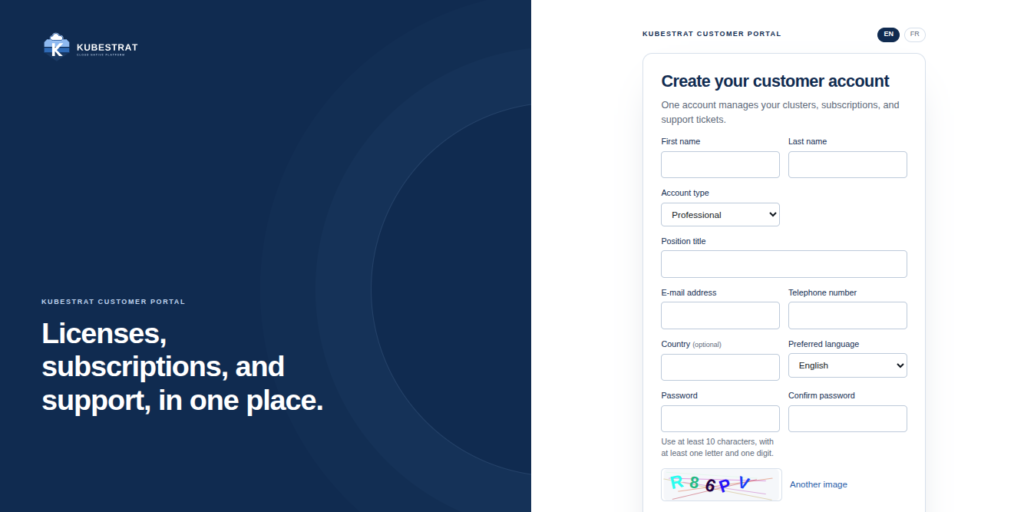
Once you have received the registration confirmation in your email inbox, proceed with the installation.
Access your Linux server (Cloud/VPS or on-premise—Ubuntu is recommended) via SSH and enter the following commands:
curl https://subscription.kubestrat.com/download/kubestrat-platform-single-node-0.1.0-amd64.tar.gz --output kubestrat-platform-single-node-0.1.0-amd64.tar.gz
tar -xzvf kubestrat-platform-single-node-0.1.0-amd64.tar.gz
cd kubestrat-platform-single-node/
sudo ./install.sh --force --wait-timeout 30m
Enter the hostname (a subdomain of your choice; it must point to the server’s public IP address), as well as the administrator’s email and password.
Once the installation is complete, you can access your platform’s URL using the hostname you provided.
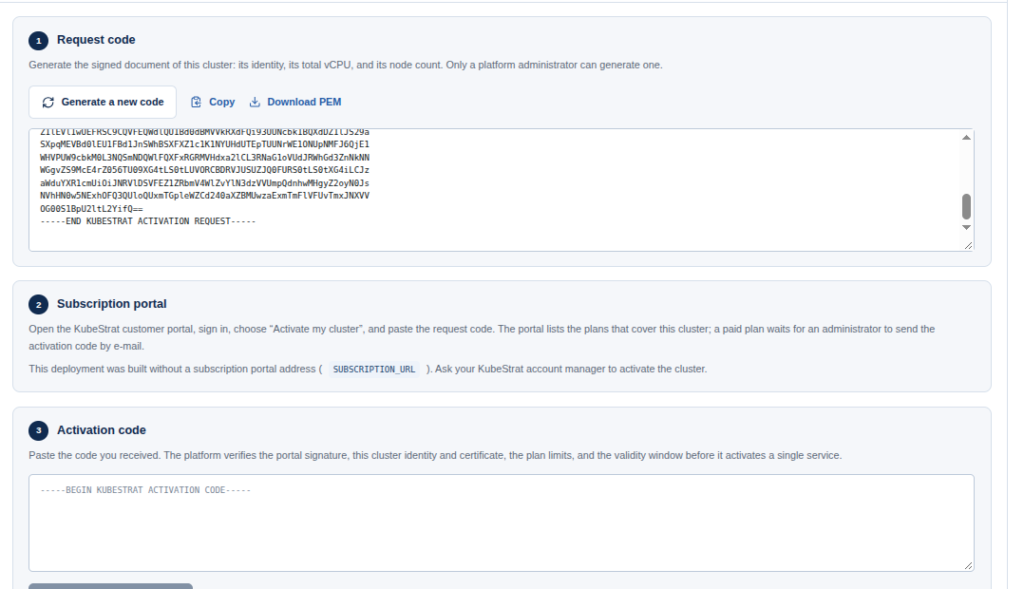
Click on “Generate code request,” copy it, go to the KubeStrat client portal, and click on “Activate my cluster.”
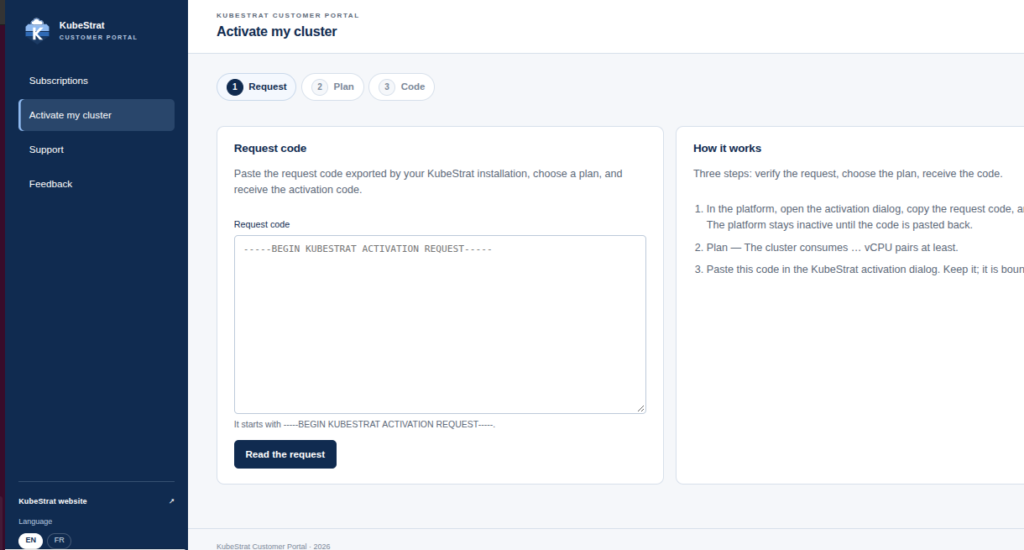
Enter the required request code from the platform and click “Read the request.”
Select “Starter”; a code will be generated. Copy this code, paste it into the “Activation code” field, and click “Activate this cluster.”
You can view your subscription status in the administration panel under “License.”
If you have any questions or feedback, please feel free to submit them here: https://subscription.kubestrat.com/portal/feedback
To use the platform via the shell, you can download the CLI tools:
Linux: https://subscription.kubestrat.com/download/kubestrat-cli-linux-amd64
Windows: https://subscription.kubestrat.com/download/kubestrat-cli-windows-amd64.exe